
Building AI Agents with Ollama and Tool Calling in Go
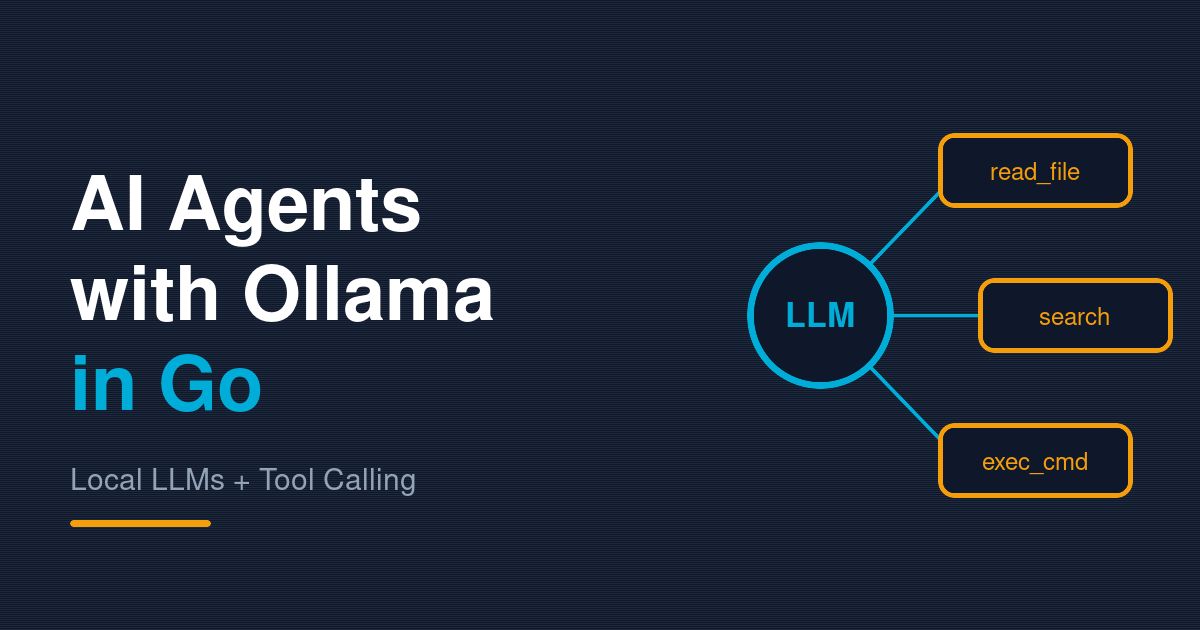
The landscape of AI development is undergoing a fundamental shift. What once required expensive API calls to cloud-based LLM providers can now run entirely on your local machine using Ollama. But raw language models alone aren’t enough to build truly useful AI systems—they need the ability to take actions through tool calling, also known as function calling.
Building AI agents that can autonomously read files, execute commands, search codebases, and modify systems opens up unprecedented possibilities for automation. Imagine an AI assistant that can analyze your Go codebase, understand architectural patterns, and suggest improvements by actually examining the code. Or a development agent that can automatically fix linting errors, generate boilerplate, or execute builds based on natural language instructions.
This comprehensive guide teaches you how to build production-ready AI agents in Go using Ollama for local LLM inference and a robust tool registry system inspired by the Model Context Protocol (MCP). You’ll create a system where AI models can intelligently decide which tools to use, when to use them, and how to combine tool results to solve complex problems.
Why Ollama and Local LLMs Matter
Traditional cloud-based LLM APIs offer convenience and powerful models, but they come with significant drawbacks:
- Privacy Concerns: Your code and prompts are sent to external servers
- Latency: Network round-trips add milliseconds to every request
- Cost: Pay per token, which scales with AI usage
- Dependency Risk: Service outages affect your entire application
- Rate Limiting: Restrictions on request frequency and throughput
Ollama changes this equation by running powerful language models locally. The Ollama project makes it trivial to download and run models like Llama 2, Mistral, Qwen, and others on your machine with minimal setup:
# Download and run a 13B parameter model locally
ollama pull qwen3:30b
ollama serve  # Starts HTTP server on localhost:11434
For developers, this means building AI features that are truly private, instant, and free to operate at scale.
Understanding the Architecture
The agent system we’ll build consists of three critical components:
1. Chat Client - Orchestrating Conversations
The OllamaChatClient manages the interaction loop with the Ollama LLM:
type OllamaChatClient struct {
	ollamaHost   string
	modelName    string
	toolRegistry *ToolRegistry
	messages     []Message
}
Key responsibilities:
- Maintains conversation history for context
- Sends messages to the Ollama API
- Detects tool calls in model responses
- Routes tool execution through the registry
- Implements the agentic loop that continues until a final response is reached
2. Tool Registry - The Action Layer
The ToolRegistry provides a structured way to register and invoke tools:
type Tool struct {
	Name        string
	Description string
	InputSchema map[string]interface{}
	Func        func(map[string]interface{}) (interface{}, error)
}
Tools aren’t just functions—they’re self-describing with schemas that the LLM can understand. This allows the model to:
- Know exactly what tools are available
- Understand what parameters each tool accepts
- Learn which tool to use for different tasks
- Infer the correct argument types
3. Built-in Tools - The Execution Environment
A standard set of tools provides the agent with capabilities:
- File Operations:
read_file,write_file,modify_file - File System:
list_directory,search_files,search_in_files - Templates:
create_file_from_templatefor scaffolding - Execution:
execute_commandfor running shell commands (with safety whitelist)
The Agentic Loop: How It Works
The magic happens in the message processing loop. Here’s what occurs when you send a message:
User Message
    ↓
Add to Chat History
    ↓
Send to Ollama with System Prompt + Tools Description
    ↓
Model Responds with Either:
  ├─ Text Response (End of conversation)
  └─ Tool Call JSON (Agentic Loop Continues)
    ↓
IF Tool Call:
  ├─ Extract JSON from response
  ├─ Validate tool name and arguments
  ├─ Execute tool via registry
  ├─ Add tool results to message history
  └─ Loop back to send to model again
    ↓
IF Text Response:
  └─ Return to user
This loop enables multi-step reasoning. The LLM might decide: “To answer this question, I need to read several files, search for a pattern, and then execute a command.” It makes these decisions independently and in sequence.
Core Implementation Walkthrough
Initializing the Chat Client
func main() {
	ollamaHost := "http://localhost:11434"
	modelName := "qwen3:30b-a3b"

	// Create tool registry with all built-in tools
	toolRegistry := CreateBuiltInTools()

	// Initialize chat client
	chatClient := NewOllamaChatClient(ollamaHost, modelName, toolRegistry)

	// Interactive chat loop
	scanner := bufio.NewScanner(os.Stdin)
	for {
		fmt.Print("You: ")
		if !scanner.Scan() {
			break
		}

		response, err := chatClient.SendMessage(scanner.Text())
		if err != nil {
			fmt.Printf("Error: %v\n", err)
			continue
		}

		fmt.Printf("Assistant: %s\n\n", response)
	}
}
System Prompt Design
The system prompt is crucial for instructing the model about available tools:
func (c *OllamaChatClient) GetSystemPrompt() string {
	tools := c.toolRegistry.GetTools()
	toolsList := "Available tools:\n"
	for _, tool := range tools {
		toolsList += fmt.Sprintf("- %s: %s\n", tool.Name, tool.Description)
	}

	return fmt.Sprintf(`You are an AI assistant with access to tools.

%s

When you need to use a tool, respond with a JSON block:
{
  "tool_call": true,
  "tool_name": "tool_name",
  "arguments": {"arg1": "value1"}
}

After using a tool, you will receive results.
Only call tools when necessary to answer the user's question.`, toolsList)
}
Extracting and Executing Tool Calls
The model returns tool calls as JSON blocks embedded in natural language. The parser extracts them robustly:
func (c *OllamaChatClient) extractAndExecuteTools(response string) string {
	var allResults []string

	// Find all JSON blocks in the response
	content := response
	for {
		start := strings.Index(content, "{")
		if start == -1 {
			break
		}

		// Find matching closing brace
		braceCount := 0
		end := start
		for i := start; i < len(content); i++ {
			if content[i] == '{' {
				braceCount++
			} else if content[i] == '}' {
				braceCount--
				if braceCount == 0 {
					end = i
					break
				}
			}
		}

		jsonStr := content[start : end+1]
		var toolCall map[string]interface{}

		// Try to unmarshal as tool call
		if err := json.Unmarshal([]byte(jsonStr), &toolCall); err != nil {
			content = content[end+1:]
			continue
		}

		// Validate it's a proper tool call
		if isToolCall, ok := toolCall["tool_call"].(bool); !ok || !isToolCall {
			content = content[end+1:]
			continue
		}

		// Extract tool name and arguments
		toolName, _ := toolCall["tool_name"].(string)
		args, _ := toolCall["arguments"].(map[string]interface{})

		// Execute the tool
		result, err := c.toolRegistry.CallTool(toolName, args)
		if err != nil {
			allResults = append(allResults, fmt.Sprintf("Error: %v", err))
		} else {
			resultJSON, _ := json.Marshal(result)
			allResults = append(allResults, string(resultJSON))
		}

		content = content[end+1:]
	}

	return strings.Join(allResults, "\n")
}
Message History Management
Maintaining conversation history is essential for context:
func (c *OllamaChatClient) SendMessage(userMessage string) (string, error) {
	// Add user message to history
	c.messages = append(c.messages, Message{
		Role:    "user",
		Content: userMessage,
	})

	// Keep looping for agentic tool use
	for {
		// Prepare messages with system prompt
		messagesForAPI := []Message{
			{
				Role:    "system",
				Content: c.GetSystemPrompt(),
			},
		}
		messagesForAPI = append(messagesForAPI, c.messages...)

		// Send to Ollama
		req := ChatRequest{
			Model:    c.modelName,
			Messages: messagesForAPI,
			Stream:   false,
		}

		resp, err := http.Post(c.ollamaHost+"/api/chat", "application/json",
			bytes.NewReader(reqBody))
		if err != nil {
			return "", err
		}
		defer resp.Body.Close()

		// Parse response
		var chatResp ChatResponse
		json.NewDecoder(resp.Body).Decode(&chatResp)
		assistantResponse := chatResp.Message.Content

		// Check for tool calls
		if strings.Contains(assistantResponse, "tool_call") {
			// Execute tools and continue loop
			toolResults := c.extractAndExecuteTools(assistantResponse)
			c.messages = append(c.messages, Message{
				Role:    "assistant",
				Content: assistantResponse,
			})
			c.messages = append(c.messages, Message{
				Role:    "user",
				Content: "Tool results:\n" + toolResults,
			})
			continue
		}

		// No tools, return final response
		c.messages = append(c.messages, Message{
			Role:    "assistant",
			Content: assistantResponse,
		})
		return assistantResponse, nil
	}
}
Tool Design Patterns
Pattern 1: Flexible Parameter Names
Tools accept multiple parameter name variations for robustness:
func(args map[string]interface{}) (interface{}, error) {
	// Accept "filepath", "path", or "file_path"
	filePath, ok := args["filepath"].(string)
	if !ok {
		filePath, ok = args["path"].(string)
		if !ok {
			filePath, ok = args["file_path"].(string)
		}
	}
	// ... rest of implementation
}
Why? LLMs generate different parameter names depending on context. This flexibility ensures tools work reliably regardless.
Pattern 2: Comprehensive Input Schemas
Each tool defines what parameters it accepts:
InputSchema: map[string]interface{}{
	"type": "object",
	"properties": map[string]interface{}{
		"filepath": map[string]interface{}{
			"type":        "string",
			"description": "The absolute or relative path to the file",
		},
		"limit": map[string]interface{}{
			"type":        "integer",
			"description": "Optional: Maximum number of lines to read",
		},
	},
	"required": []string{"filepath"},
}
The schema is part of the system prompt, so the LLM learns exactly what it can do.
Pattern 3: Safety Through Whitelisting
The execute_command tool restricts which commands can run:
allowedCommands := []string{
	"go", "git", "make", "cargo", "npm", "python",
	"docker", "kubectl", "terraform", "curl",
	// ... only safe, development-focused commands
}

cmdName := parts[0]
allowed := false
for _, allowedCmd := range allowedCommands {
	if cmdName == allowedCmd {
		allowed = true
		break
	}
}

if !allowed {
	return nil, fmt.Errorf("command '%s' not allowed", cmdName)
}
This prevents malicious or accidental destructive commands.
Real-World Use Cases
1. Intelligent Code Analysis Agent
User: "Analyze this Go repository for common performance anti-patterns"

Agent Steps:
1. search_files("*.go") → gets all Go files
2. read_file() for each file → analyzes source code
3. search_in_files("sync.Mutex") → finds lock usage
4. search_in_files("make(chan)") → analyzes channel patterns
5. Returns comprehensive report with specific findings
2. Development Automation Agent
User: "Create a new CLI tool structure with Cobra"

Agent Steps:
1. create_file_from_template("go", "mycli") → scaffolds project
2. execute_command("go mod init github.com/user/mycli")
3. execute_command("go get github.com/spf13/cobra")
4. write_file() → creates main.go with cobra boilerplate
5. execute_command("go fmt ./...")
3. Bug Investigation Agent
User: "Find all goroutine leaks in the codebase"

Agent Steps:
1. search_in_files("go ") → finds all goroutine launches
2. read_file() for each → checks if goroutines are tracked
3. search_in_files("sync.WaitGroup", file_filter="*.go")
4. Correlates findings and reports potential leaks
Best Practices
1. Design Tools for Composability
Tools should be small, focused, and composable. A tool that “refactor code” is too broad. Individual tools for “read file”, “search in file”, “modify file” are better.
2. Provide Rich Context in Descriptions
// Good
"Read file contents with optional line limit. Useful for analyzing code structure."

// Poor
"Read a file"
The richer the description, the better the LLM’s decision-making.
3. Handle Errors Gracefully
Never crash. Always return errors as part of the result so the LLM can reason about failure:
if err != nil {
	return map[string]interface{}{
		"error":   true,
		"message": fmt.Sprintf("Failed to read: %v", err),
	}, nil  // Not an error, but a result with error flag
}
4. Implement Timeouts
LLMs might call tools in infinite loops if not careful:
ctx, cancel := context.WithTimeout(context.Background(), 30*time.Second)
defer cancel()

// Use ctx for tool execution
5. Log Tool Execution
For debugging and understanding agent behavior:
fmt.Printf("[🔧 Tool Call] %s with args: %v\n", toolName, args)
fmt.Printf("[✅ Success] Result: %v\n", result)
Performance Considerations
Memory Usage
Long conversations accumulate in message history. Implement conversation truncation:
// Keep only recent messages
if len(c.messages) > 50 {
	c.messages = c.messages[len(c.messages)-50:]
}
Response Latency
Tool execution latency is real. The LLM must wait for file I/O, command execution, etc. Use timeouts and async patterns when possible.
Model Selection
Different models have different tool-calling capabilities:
- Qwen3: Excellent at JSON tool calling, fast inference
- Llama 2: Good general performance, stable
- Mistral: Fast and efficient for smaller tasks
- Neural Chat: Optimized for conversation
Choose based on your requirements.
Common Pitfalls
Pitfall 1: Trusting LLM Formatting
LLMs sometimes generate malformed JSON. Always parse defensively:
// Good
var toolCall map[string]interface{}
if err := json.Unmarshal([]byte(jsonStr), &toolCall); err != nil {
	// Continue to next potential JSON block
	continue
}

// Don't assume valid JSON ever
Pitfall 2: Over-Permissive Tools
A execute_command tool that runs ANY command is a security nightmare. Always whitelist.
Pitfall 3: Forgetting Tool Results Go Back to LLM
Tools are useless if the agent doesn’t see the results. Always add them to message history:
c.messages = append(c.messages, Message{
	Role:    "user",
	Content: "Tool results:\n" + toolResults,
})
Pitfall 4: No Infinite Loop Protection
Implement a maximum iteration counter:
maxIterations := 10
iterations := 0
for iterations < maxIterations {
	// ... agentic loop
	iterations++
}
Testing AI Agents
Testing agents is harder than testing deterministic functions. Consider:
// Test that tools are properly registered
func TestToolRegistry(t *testing.T) {
	registry := CreateBuiltInTools()
	tools := registry.GetTools()

	expectedTools := []string{"read_file", "write_file", "list_directory"}
	for _, expected := range expectedTools {
		found := false
		for _, tool := range tools {
			if tool.Name == expected {
				found = true
				break
			}
		}
		if !found {
			t.Errorf("Tool %s not found", expected)
		}
	}
}

// Test that tool execution works
func TestReadFileTool(t *testing.T) {
	registry := CreateBuiltInTools()
	result, err := registry.CallTool("read_file", map[string]interface{}{
		"filepath": "test.txt",
	})

	if err != nil {
		t.Fatalf("Tool call failed: %v", err)
	}

	// Verify result structure
	resultMap := result.(map[string]interface{})
	if _, ok := resultMap["content"]; !ok {
		t.Error("Result missing content field")
	}
}
For agent behavior, use scenario testing:
// Test agent can read and analyze a file
func TestAgentCodeAnalysis(t *testing.T) {
	// Create test file with specific code
	testFile := "test_analysis.go"
	// ... setup

	// Send query to agent
	response, err := agent.SendMessage("How many functions are in test_analysis.go?")

	// Verify agent used read_file tool
	// Verify response contains accurate count
	// Verify response quality
}
Conclusion
Building AI agents with Ollama and Go gives you a powerful toolkit for intelligent automation that’s:
- Private: Runs entirely on your machine
- Fast: Local inference with millisecond latency
- Cost-effective: No per-token charges
- Flexible: Easily extend with custom tools
- Reliable: Deterministic execution of called tools
The combination of LLM reasoning with tool calling creates agents that can tackle complex tasks across your development workflow. Start with the simple agent pattern presented here, then extend it with domain-specific tools for your unique needs.
Whether you’re building code analysis systems, automation workflows, or intelligent developer assistants, this architecture provides a solid foundation for agent-based applications in Go.
Key Takeaways
- Ollama enables private, local LLM inference without cloud dependencies
- Tool calling allows LLMs to take actions beyond text generation
- Message history maintains context across multi-step agentic reasoning
- Tool registry pattern provides composable, self-describing capabilities
- Robust JSON parsing and error handling are critical for reliability
- Whitelist safety measures prevent misuse of powerful tools
- Agent loops can accomplish complex multi-step tasks through iterative tool use
The future of software development involves intelligent agents that understand your codebase and automate complex tasks. With Ollama, Go, and tool calling, you can build that future today—entirely on your own hardware, under your control.